

Edit PDF Online is a simple and powerful way to manage digital documents without installing special software. One of the most useful features of Edit PDF Online is the ability to rotate pages quickly and easily. Many students, teachers, office workers, and business owners use Edit PDF Online to fix page orientation problems in seconds.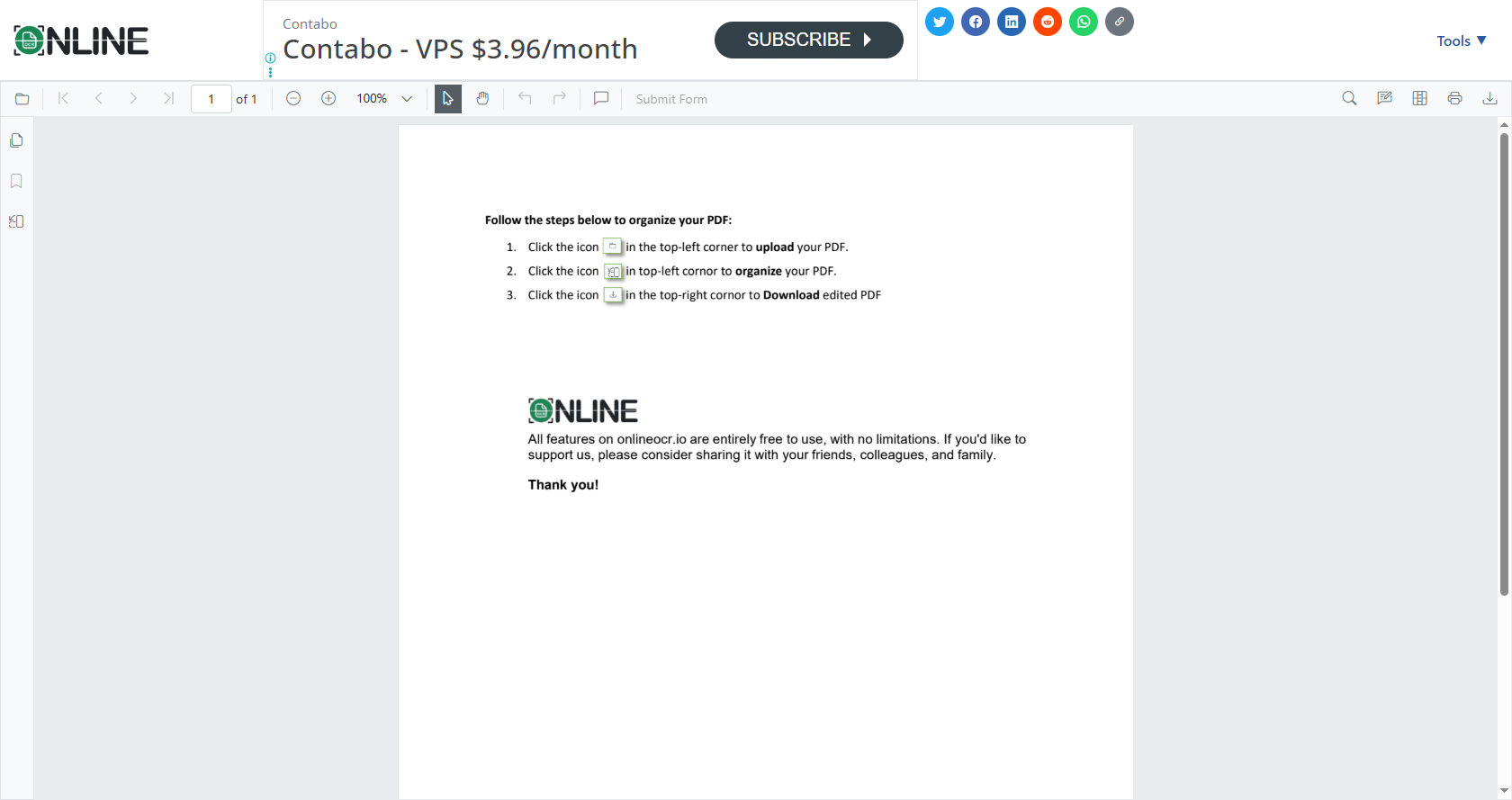
When you scan a document, download lecture notes, or receive a file by email, the pages may appear sideways or upside down. This is where Edit PDF Online becomes very helpful. Instead of printing and rescanning the file, you can rotate pages directly in your browser.
In this comprehensive guide, you will learn what Edit PDF Online rotate pages means, how it works, why it matters, and how to use it effectively. By the end, you will clearly understand how Edit PDF Online can save time and improve productivity.
Understanding PDF Files
PDF stands for Portable Document Format. It was created to allow documents to look the same on any device. Whether you open a PDF on a phone, tablet, or computer, the formatting stays consistent.
PDF files are commonly used for:
-
School assignments
-
E-books
-
Business contracts
-
Forms
-
Reports
-
Resumes
Because PDFs preserve layout and design, they are widely trusted. However, editing them used to be difficult. Today, Edit PDF Online tools make it simple to modify PDFs without advanced skills.
What Does Rotate Pages Mean?
Rotating pages means changing the orientation of a page within a PDF file. A page can be:
-
Portrait (vertical)
-
Landscape (horizontal)
-
Upside down
Sometimes scanned documents appear sideways. Instead of adjusting your screen physically, you can use Edit PDF Online to rotate pages 90, 180, or 270 degrees.
This feature ensures that your document is readable and professionally formatted.
Why Page Rotation Is Important
Correct page orientation improves readability. Imagine submitting homework where half the pages are sideways. It looks unprofessional and can be frustrating to read.
Using Edit PDF Online to rotate pages helps:
-
Make documents easier to read
-
Improve presentation quality
-
Avoid confusion
-
Save printing costs
-
Prevent rescanning
In school and workplace environments, small formatting details matter. Edit PDF Online helps maintain a polished appearance.
How Edit PDF Online Rotate Pages Works
Edit PDF Online tools work through your web browser. You upload a file, make changes, and download the updated version.
Here’s a simple overview of the process:
-
Upload your PDF file.
-
Select the page you want to rotate.
-
Choose the rotation direction.
-
Apply the changes.
-
Download the updated document.
Most Edit PDF Online platforms allow rotating one page or multiple pages at once. The process usually takes less than a minute.
Benefits of Using Edit PDF Online
No Installation Required
One major advantage of Edit PDF Online is that you don’t need to download software. Everything works in your browser.
This saves storage space and avoids complicated setup steps.
Easy to Use
Most Edit PDF Online tools are designed for beginners. You don’t need technical knowledge. The buttons are clear and simple.
Time-Saving
Instead of rescanning documents, Edit PDF Online lets you fix orientation instantly.
Works on Any Device
You can use Edit PDF Online on laptops, desktops, tablets, and even smartphones.
Secure Processing
Many Edit PDF Online services use encryption to protect your files during upload and download.
Step-by-Step Guide to Rotate Pages
Let’s go deeper into how to use Edit PDF Online for rotating pages.
Step 1: Choose a Trusted Tool
Search for a reliable Edit PDF Online service. Make sure it has good reviews and security features.
Step 2: Upload Your File
Click the upload button and select your PDF file from your device.
Step 3: Preview Pages
After uploading, you will see page thumbnails. This preview helps you identify which pages need rotation.
Step 4: Rotate Selected Pages
Click the rotate icon. Most Edit PDF Online tools offer:
-
Rotate left (90 degrees counterclockwise)
-
Rotate right (90 degrees clockwise)
You can apply rotation to single or multiple pages.
Step 5: Save and Download
Once satisfied, click save. Then download the updated PDF.
Using Edit PDF Online makes the process fast and stress-free.
When Do You Need to Rotate PDF Pages?
There are many situations where Edit PDF Online is useful.
Scanned Documents
Scanners sometimes flip pages automatically. Edit PDF Online corrects this instantly.
Smartphone Scans
Photos taken with a phone may rotate incorrectly. Edit PDF Online fixes orientation issues.
Mixed Layout Files
Some documents contain both portrait and landscape pages. Edit PDF Online helps standardize the layout.
Presentation Materials
When preparing slides or reports, proper orientation matters. Edit PDF Online ensures everything looks clean.
Features Often Included with Edit PDF Online
Many Edit PDF Online tools offer additional features beyond rotation.
These may include:
-
Merging PDFs
-
Splitting PDFs
-
Compressing files
-
Adding text
-
Highlighting content
-
Adding signatures
-
Deleting pages
Using Edit PDF Online gives you access to multiple editing functions in one place.
Advantages for Students
Students benefit greatly from Edit PDF Online.
They often download:
-
Lecture notes
-
E-books
-
Worksheets
-
Study guides
If pages are misaligned, reading becomes difficult. Edit PDF Online makes it easy to rotate pages and focus on studying instead of formatting.
Assignments submitted online should look neat. Edit PDF Online helps students maintain professionalism.
Advantages for Teachers
Teachers scan exams, worksheets, and answer sheets. Sometimes scanning errors cause orientation issues.
Instead of rescanning stacks of papers, teachers can use Edit PDF Online to fix page alignment quickly.
This saves time and reduces stress during busy grading periods.
Advantages for Business Professionals
In the workplace, presentation is important.
Contracts, invoices, proposals, and reports must look professional. If a page appears sideways, it reflects poorly on the sender.
Using Edit PDF Online ensures documents are clear and well-organized before sending them to clients or managers.
Is Edit PDF Online Safe?
Security is an important concern.
Reputable Edit PDF Online services use secure connections (HTTPS) to protect files. Some also automatically delete files after processing.
Before uploading sensitive documents, check the privacy policy of the Edit PDF Online platform.
For highly confidential files, consider offline tools if required by company policy.
Free vs Paid Edit PDF Online Tools
Many Edit PDF Online tools offer free versions.
Free Tools
-
Basic rotation features
-
Limited file size
-
Watermarks in some cases
Paid Tools
-
Larger file support
-
Advanced editing
-
No watermarks
-
Faster processing
If you only need occasional page rotation, free Edit PDF Online tools are often enough.
Common Mistakes to Avoid
Even though Edit PDF Online is simple, some users make mistakes.
Forgetting to Save Changes
Always click apply or save before downloading.
Rotating the Wrong Pages
Double-check selected pages in Edit PDF Online before confirming.
Ignoring File Size Limits
Some platforms limit upload size. Compress the file if necessary.
Being careful ensures the best results with Edit PDF Online.
Tips for Better Results
Here are some helpful tips:
-
Preview every page before downloading.
-
Rotate all incorrect pages at once to save time.
-
Rename the updated file clearly.
-
Keep a backup of the original file.
Using Edit PDF Online wisely improves document management.
How Page Rotation Improves Productivity
Small errors waste time.
If you print a sideways document, you may need to reprint it. That costs paper and ink.
With Edit PDF Online, you fix problems digitally in seconds. This reduces frustration and increases efficiency.
Over time, these small improvements make a big difference.
Mobile Use of Edit PDF Online
Many people rely on smartphones.
Edit PDF Online works well on mobile browsers. You can upload, rotate, and download files from your phone.
This is especially useful for students and remote workers who need quick fixes while traveling.
Comparing Online and Offline Editing
Offline PDF software can also rotate pages.
However, Edit PDF Online has advantages:
-
No installation
-
No updates required
-
Accessible anywhere
-
Works across devices
Offline tools may be better for sensitive data, but Edit PDF Online offers unmatched convenience.
Technical Explanation of Page Rotation
When you use Edit PDF Online to rotate pages, the tool changes the page’s orientation metadata.
This means the content itself does not move. Instead, the viewing angle changes.
This method keeps file quality intact. Text and images remain sharp.
Because Edit PDF Online adjusts metadata rather than reformatting content, the process is fast and efficient.
Environmental Benefits
Using Edit PDF Online reduces paper waste.
Instead of printing incorrect pages and throwing them away, you correct mistakes digitally.
This supports environmentally friendly practices.
Schools and offices can reduce their carbon footprint by using Edit PDF Online instead of relying on physical copies.
Troubleshooting Problems
Sometimes issues occur.
File Won’t Upload
Check internet connection. Ensure the file is not too large.
Rotation Not Saving
Make sure you clicked apply before downloading.
File Corruption
Use a reliable Edit PDF Online service and avoid interrupting downloads.
If problems continue, try another Edit PDF Online platform.
Future of Online PDF Editing
Technology continues to improve.
Edit PDF Online tools are becoming faster and smarter. Artificial intelligence may soon detect incorrect orientation automatically.
Cloud storage integration is also increasing. Soon, Edit PDF Online tools may connect directly with online drives.
This will make document management even more convenient.
Conclusion
Edit PDF Online rotate pages is a simple yet powerful feature that solves a common problem. Misaligned pages can make documents look unprofessional and difficult to read. Instead of wasting time printing or rescanning files, you can fix orientation instantly using Edit PDF Online.
This tool is useful for students, teachers, and professionals alike. It works directly in your browser, requires no installation, and supports quick adjustments. With just a few clicks, Edit PDF Online allows you to rotate single or multiple pages and download a clean, properly formatted file.
Security, convenience, and accessibility make Edit PDF Online an essential digital tool. Whether you are correcting lecture notes, preparing business reports, or organizing scanned documents, page rotation ensures clarity and professionalism.
As digital communication continues to grow, mastering tools like Edit PDF Online becomes increasingly important. Small formatting corrections can significantly improve document quality. By understanding how to use Edit PDF Online rotate pages effectively, you gain control over your files and save valuable time.
In today’s fast-paced digital world, efficiency matters. Edit PDF Online provides a quick and reliable solution for managing PDF orientation problems. Learning how to use it properly empowers you to handle documents confidently and professionally.